How to change calendar fonts, sizes and positions
Typography is three jobs, and the style editor gives each one its own controls: the heading, the calendar's supporting text, and the date numbers. All three share the same simple size scale — S, M, L, XL — so nothing can get accidentally unreadable.
How to change calendar fonts, sizes and positions sections
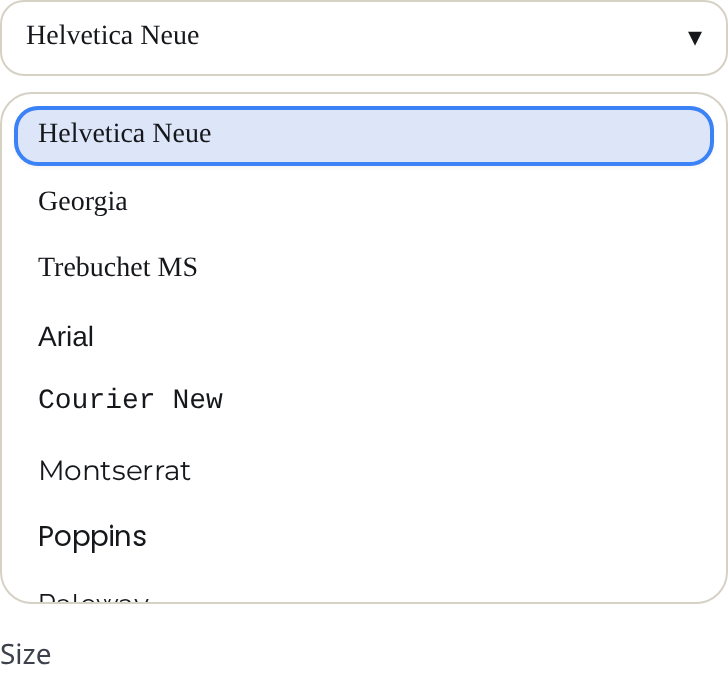
Change a font
- Press Edit template on your design.
- Open the tab for the text you want: Heading content for the title, Frame for weekday labels and other calendar text, Dates for the numbers.
- Open the group (Heading, Frame content or Date content) and click Font family.
- Pick from the list of print-ready fonts — neutral sans-serifs like Helvetica Neue, sturdy serifs like Merriweather, display faces like Bebas Neue, and scripts like Great Vibes. Each option renders in its own font in the list.
The three roles can mix: a script heading over a plain, highly readable grid is a classic pairing.
Change a size
- Each group has a Size control with four steps: S, M, L, XL.
- The heading's size sets the height of the title band — XL makes a bold poster-style header, S leaves more room for the grid.
- Bigger date numbers (L, XL) leave less room to write in each cell. Keep them M for everyday planning.
- On Multi-month and Yearly calendars, an extra control appears in the Heading content tab: Month title size, for the little month names inside the composed layouts.
Move the date numbers
On the Dates tab, Date content has a Position control: a three-by-three grid from top-left to bottom-right. Click a square to place the number inside its cell — top-left is the classic monthly look; centered suits year-at-a-glance pages. The preview shows the effective default for your current format before you touch it.

Tips
- Decorative fonts are for the heading only. They turn to porridge at small sizes — keep weekday labels and numbers on a plain face.
- If a full month name no longer fits at XL, switch Month name format to Short in the Heading content tab.
Mini-FAQ
- Can I use a font that is not in the list?
- No — the list is limited to fonts that render identically on screen, in the PDF and in the PNG.